MCP Server
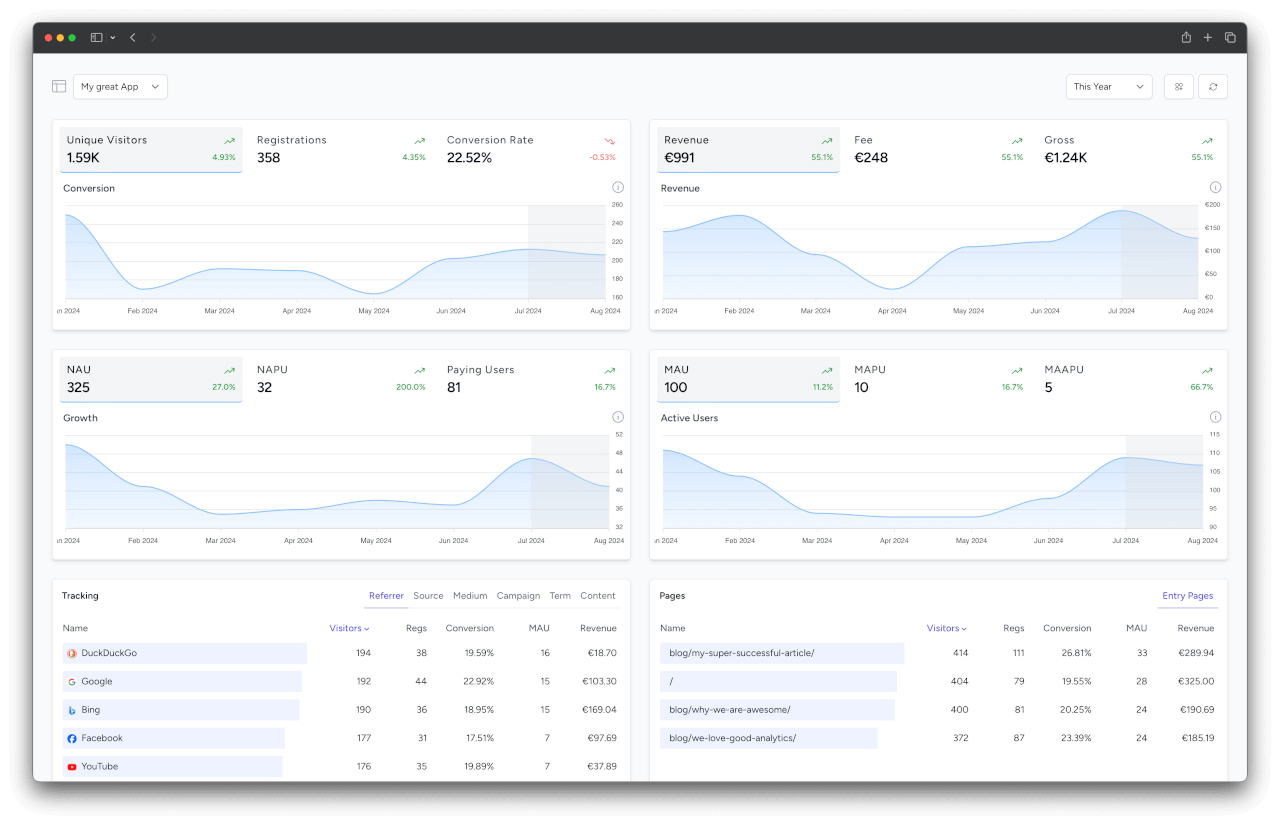
SimpleStats ships a hosted MCP (Model Context Protocol) server. Connect it to AI tools like Claude Code, Cursor, or Claude Desktop and ask questions about your analytics in plain language: "How many registrations did I get last month?", "Which referrer brings the most revenue?", "How did my MRR develop this year?".
TIP
Prefer chatting inside the app? The same assistant powers the Ask AI panel on your dashboard. It uses the same tools, including the ones that change something (campaigns, ad spend, projects, team settings, invitations). In the panel the assistant never changes anything on its own: it shows each change as a card with every value it will use, and only your click on Confirm executes it, with your role and project access.
Available Tools
| Tool | Purpose |
|---|---|
list-stats-capabilities | Lists your projects, breakdown dimensions, date presets, and a KPI legend |
get-kpi-stats | KPI time series (visitors, registrations, conversion, revenue, active users, page views) with totals |
get-grouped-breakdown | Breakdowns by dimension (referrer, source, campaign, country, device, top pages, ...) |
get-recurring-revenue-stats | MRR/ARR snapshots, movements, churn, NRR/GRR, subscription economics |
get-retention-cohorts | Registration retention cohorts |
get-campaign-performance | Per-campaign profitability: spend, revenue, net profit, ROAS, CAC, LTV:CAC, payback |
list-campaigns | Lists your campaigns with their linked utm_campaign values and ad spend entries |
create-campaign | Creates a campaign and links the tracked utm_campaign values that belong to it |
update-campaign | Renames a campaign or links more utm_campaign values |
record-ad-spend | Records the ad spend of a campaign for a date range |
update-ad-spend | Corrects an existing ad spend entry |
search-docs | Searches this documentation |
list-app-pages | Lists the in-app pages with descriptions and links |
list-projects | Lists the projects you can access, with domain, tracked data and flags |
create-project | Creates a project (name, domain, what it tracks, flags) and returns its API token once |
update-project | Changes the name, domain, tracked data or flags of a project |
get-team | Shows team name, currency, timezone, your role, the plan, and the monthly event usage against its limit |
update-team-settings | Changes the team name, currency or timezone |
list-team-members | Lists the members with role and project access, plus pending invitations |
invite-team-member | Invites someone as editor or viewer, optionally limited to selected projects |
Managing Campaigns
Besides reading your analytics, the MCP server can set up campaigns for you, so SimpleStats calculates ROAS, CAC and profit from your own data. Tell your agent something like:
Create a campaign "Black Week 2026" for utm_campaign=black-week-2026. We spend 115 EUR on X
and 50 EUR on Reddit, both from Nov 23 to Nov 30, 2026. Record the spend, then show me how
the campaign performs.
The agent creates the campaign, links the tracked utm_campaign value, records one ad spend entry per platform, and reads the results with get-campaign-performance. A few things to know:
- Amounts are entered in your team currency (e.g.
115for 115 EUR) and spread evenly across the days of the entry. Spend in another currency has to be converted first. - Linking a
utm_campaignvalue that has no traffic yet is fine, later visits are counted automatically. A value can only belong to one campaign, even across the projects of your team. - A campaign belongs to one project, or to all projects of your team when the agent creates it without a project (e.g. "Create the campaign for all projects"). A campaign for all projects counts its
utm_campaignvalues in every project, handy when the same sale runs on several shops. Only members with access to every project can create and see these campaigns. - Removing links, ad spend entries or whole campaigns is only possible in the app.
- These tools only work for projects that track payments, and your agent will usually ask you to confirm before it writes anything.
Managing Projects and Your Team
The agent can also set up projects and handle team basics, e.g.:
Create a SimpleStats project "Landing" for landing.example.com that tracks visitors and
registrations, then invite anna@example.com as viewer for that project only.create-projectreturns the new project's API token exactly once, like the app does after creating a project. Install the client package with it. Tools never return existing tokens, those stay on the project page in the app.- The token ends up in your AI client's chat history (and, depending on the client, in its logs or the provider's conversation storage). If that is a concern, regenerate it on the project page afterwards.
- Plan limits apply: a project is only created if your plan allows another one.
- Invitations work like in the app: the person gets the normal invitation mail and joins after accepting it. Only the roles editor and viewer can be invited this way. Inviting administrators, changing roles and removing members is only possible in the app, so an agent that reads untrusted text (an email, a web page, a document) cannot be tricked into handing out admin access.
Permissions
The tools follow your team role and project access, exactly like the app.
| Viewer | Editor | Administrator / Owner | |
|---|---|---|---|
Stats tools, list-campaigns | ✓ | ✓ | ✓ |
| Campaign and ad spend tools | – | ✓ | ✓ |
list-projects, get-team, list-team-members | ✓ | ✓ | ✓ |
create-project | – | ✓ | ✓ |
update-project | – | ✓ | ✓ |
update-team-settings, invite-team-member | – | – | ✓ |
- Members limited to selected projects only see and change those projects, cannot create projects or campaigns for all projects, and only see themselves in
list-team-members(like on the team page). - A read-only connection only gets the reading tools, whatever your role allows.
Endpoint & Authentication
The MCP server is available via streamable HTTP at:
https://simplestats.io/mcp
It connects via OAuth: you sign in to SimpleStats in the browser and approve the client. The agent then acts as you in your current team, with your role and project access. Project API tokens are not accepted by the MCP server, they stay reserved for the Ingest API and Query API.
Connected with a project API token before?
Earlier versions accepted a project API token as bearer token. Such a connection now fails with 401. Remove the Authorization header from your MCP client config and reconnect once as described below.
Connect With OAuth
Add the server without an Authorization header. The client discovers the OAuth endpoints, opens the browser, and you approve the connection on the consent screen. The connection is read-only by default. Tick Also allow changes there if the client should create campaigns, record ad spend, manage projects or invite members. MCP clients register themselves and choose their own name, so only approve a connection you just started yourself.
The connection always works on the team that is currently selected in the app, switch the team there to work on another one. Access tokens are valid for one day and are renewed automatically while the client uses them, an unused connection expires after 90 days.
Let Your Agent Set It Up
Copy this prompt into your coding agent (Claude Code, Codex, Cursor, OpenCode, ...) and it configures the server for you. You'll find the same prompt in the Ask AI panel of the app.
Fetch and follow the instructions from https://simplestats.io/docs/agent-setup.md to connect the SimpleStats MCP server to this agent.Prefer to do it by hand? Pick your tool below.
Claude Code
Add the server with one command. --scope user makes it available in all your projects:
claude mcp add --transport http --scope user simplestats https://simplestats.io/mcpThen run /mcp in Claude Code, pick the server and choose Authenticate.
Codex
Add the server to ~/.codex/config.toml:
[mcp_servers.simplestats]
url = "https://simplestats.io/mcp"
Then sign in with codex mcp login simplestats.
Cursor
Add the server to ~/.cursor/mcp.json (or .cursor/mcp.json in a project) and click Connect next to it in the MCP settings:
{
    "mcpServers": {
        "simplestats": {
            "url": "https://simplestats.io/mcp"
        }
    }
}
VS Code (GitHub Copilot)
Add the server to .vscode/mcp.json, or run MCP: Open User Configuration to add it for all workspaces. VS Code starts the sign-in when the server is used for the first time:
{
    "servers": {
        "simplestats": {
            "type": "http",
            "url": "https://simplestats.io/mcp"
        }
    }
}
OpenCode
Add the server for all projects and sign in:
opencode mcp add simplestats --url https://simplestats.io/mcp --global
opencode mcp auth simplestats
Or add it to your OpenCode config by hand:
{
    "$schema": "https://opencode.ai/config.json",
    "mcp": {
        "servers": {
            "simplestats": {
                "type": "remote",
                "url": "https://simplestats.io/mcp"
            }
        }
    }
}
Claude Desktop / claude.ai
Open Settings → Connectors → Add custom connector and enter the URL https://simplestats.io/mcp. Claude opens the sign-in when you connect it.
Other Clients
Any client with OAuth support for remote MCP servers works: configure the URL https://simplestats.io/mcp without headers.
Rate Limit
MCP requests are limited to 60 requests per minute per user. If you exceed the limit, the server responds with 429 Too Many Requests.
Self-Hosted
On self-hosted installations the MCP server is available on your own domain at https://your-domain.example/mcp, connected via OAuth the same way. Replace https://simplestats.io/mcp in the examples above with your own URL. The setup prompt in the Ask AI panel already contains it.
OAuth needs no setup: the key pair that signs the access tokens is created on first use in the storage folder (the storage volume in Docker), so keep that folder persistent. If several web servers do not share their storage, set the same key pair on all of them via PASSPORT_PRIVATE_KEY and PASSPORT_PUBLIC_KEY (generate one with php artisan passport:keys --force and copy the files' contents). APP_URL must be the public URL of your installation, the OAuth discovery endpoints are built from it.