Query API
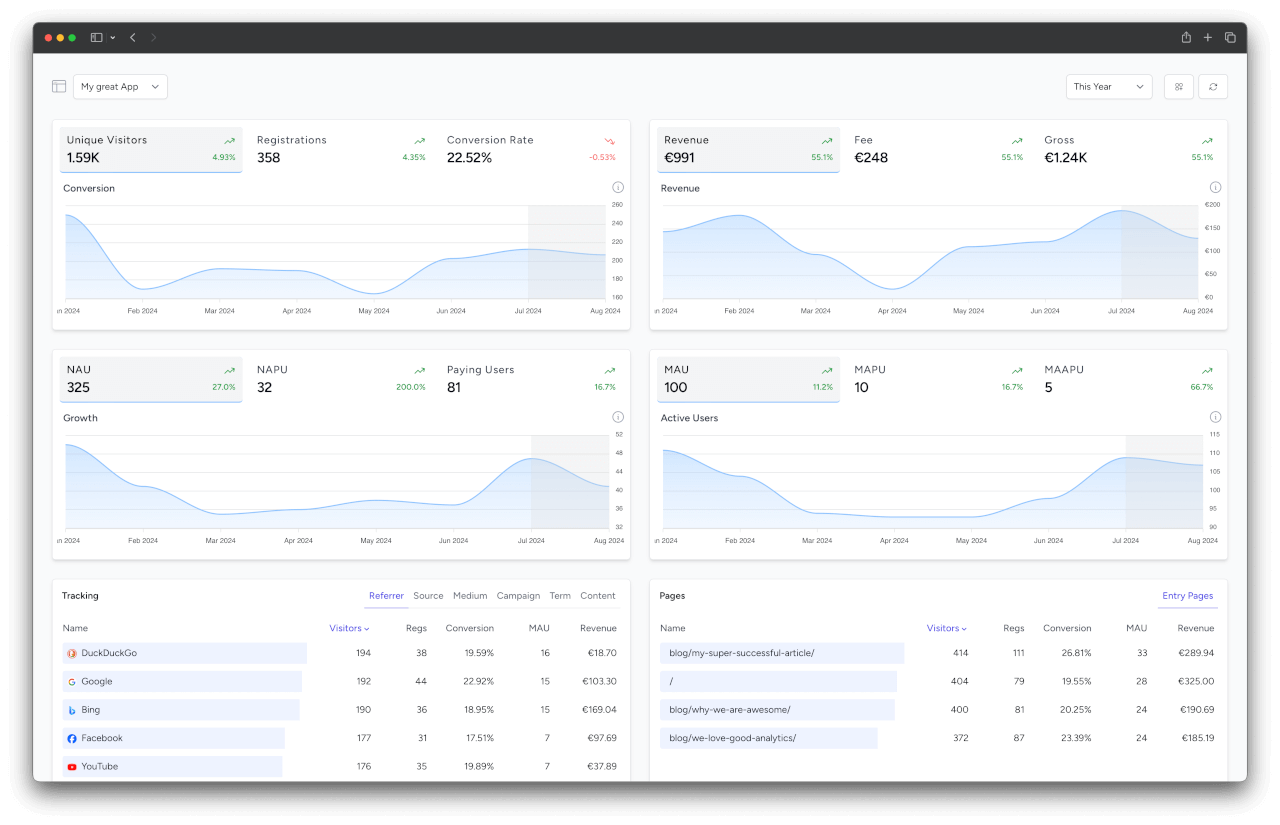
The Query API allows you to retrieve your analytics data programmatically, including time-series stats and grouped breakdowns.
TIP
Looking to send tracking data? Check out the Ingest API.
Authentication
Authenticate your request by including your API token as a bearer token value:
Authorization: Bearer API_TOKEN_HERE
TIP
You'll receive an API token after creating a new project, or you can find your existing API tokens inside the app on the project page.
Headers
Make sure you have the following content type headers set on every request:
Accept: application/json
URI
SimpleStats API is hosted on the following base URI:
https://simplestats.io/api/v1/
Rate Limit
Rate limits depend on your subscription plan and are applied per project (API token) per minute. See Plans and Limits for details.
If you exceed your rate limit, the API will return a 429 Too Many Requests response.
Endpoints
Stats
Returns time-series analytics data for your project.
HTTP Request
GET /api/v1/stats
Parameters
| Key | Type | Description |
|---|---|---|
| preset | string optional | A predefined date range. See Available Presets below. |
| range_type | string optional | The granularity of the data: hours, days, weeks, months, years. |
| range_amount | integer optional | Number of periods to include. |
| range_start | date optional | The starting point from which the range is calculated backwards (format: Y-m-d). Defaults to today. |
| comparison | string optional | Compare with a previous period: period or year. |
INFO
If no parameters are provided, the API defaults to last_7_days with daily granularity.
Filter parameters
You can filter results by group ids. Use the Groups endpoint to discover available ids. Use 0 for "all" or -1 for "organic only" (tracking groups).
| Key | Type | Description |
|---|---|---|
| track_referer | integer optional | Filter by referrer id. |
| track_source | integer optional | Filter by source id. |
| track_medium | integer optional | Filter by medium id. |
| track_campaign | integer optional | Filter by campaign id. |
| track_term | integer optional | Filter by term id. |
| track_content | integer optional | Filter by content id. |
| location_country | integer optional | Filter by country id. |
| location_region | integer optional | Filter by region id. |
| location_city | integer optional | Filter by city id. |
| device_type | integer optional | Filter by device type id. |
| device_platform | integer optional | Filter by platform id. |
| device_browser | integer optional | Filter by browser id. |
| page_entry | integer optional | Filter by entry page id. |
| custom_event_name | integer optional | Filter by custom event name id. |
Example Request
GET /api/v1/stats?preset=last_7_daysResponse
Results are returned in reverse chronological order (most recent first).
{
    "data": [
        {
            "date": "2026-03-11",
            "date_clear": "2026-03-11",
            "pd_visitor": 42,
            "pd_reg": 5,
            "pd_cr": 11.9,
            "pd_net": 15000,
            "pd_gross": 17850,
            "pd_dau": 12,
            "lt_visitor": 1250,
            "lt_reg": 180,
            "lt_net": 450000,
            "lt_arpu": 2500,
            "lt_arppu": 7500,
            "lt_arpv": 360,
            "lt_pu": 60
        }
    ],
    "meta": {
        "project_id": 1,
        "range_amount": 7,
        "range_type": "days",
        "range_start": "2026-03-11",
        "comparison": "0",
        "preset": "last_7_days",
        ...
    }
}
Response with comparison
When the comparison parameter is set to period or year, the response includes an additional data_previous array with the same structure:
GET /api/v1/stats?preset=last_7_days&comparison=period{
"data": [ ... ],
"data_previous": [ ... ],
"meta": {
"project_id": 1,
"range_amount": 7,
"range_type": "days",
"range_start": "2026-03-11",
"comparison": "period",
"preset": "last_7_days",
...
}
}Groups
Returns the available values for a specific stats type. Use this to discover the ids you need for filtering. For example, to find the id for a specific referrer, call this endpoint with statsType=trackReferer.
HTTP Request
GET /api/v1/stats/groups
Parameters
| Key | Type | Description |
|---|---|---|
| stats_type | string required | The stats type to list values for. See Available Stats Types below. |
Example Request
GET /api/v1/stats/groups?stats_type=track_sourceResponse
{
    "data": [
        {
            "id": 3,
            "name": "google"
        },
        {
            "id": 7,
            "name": "twitter"
        },
        {
            "id": 12,
            "name": "newsletter"
        }
    ]
}
TIP
Use the id from this response as the filter value in the Stats or Grouped Stats endpoints. For example, to filter stats by the source "google" (id 3): GET /api/v1/stats?track_source=3
Grouped Stats
Returns analytics data grouped by a specific group (e.g., sources, countries, browsers).
HTTP Request
GET /api/v1/stats/grouped
Parameters
| Key | Type | Description |
|---|---|---|
| stats_type | string required | The group to aggregate by. See Available Stats Types below. |
| stats_sort | string optional | Sort results by: name, visitors, reg, cr, dau, net, total. Default: visitors. |
| limit | integer optional | Maximum number of results (1-100). Default: 10. |
| preset | string optional | A predefined date range. See Available Presets below. |
| range_type | string optional | The granularity: hours, days, weeks, months, years. |
| range_amount | integer optional | Number of periods to include. |
| range_start | date optional | The starting point from which the range is calculated backwards (format: Y-m-d). Defaults to today. |
Filter parameters
The same filter parameters as the Stats endpoint apply here as well.
Example Request
GET /api/v1/stats/grouped?stats_type=track_source&limit=5Response
{
    "data": [
        {
            "name": "google",
            "type_id": 3,
            "visitors": 120,
            "reg": 15,
            "cr": 12.5,
            "dau": 8,
            "net": 45000,
            "total": 1
        },
        {
            "name": "twitter",
            "type_id": 7,
            "visitors": 85,
            "reg": 10,
            "cr": 11.76,
            "dau": 5,
            "net": 20000,
            "total": 1
        }
    ],
    "meta": {
        "project_id": 1,
        "range_amount": 7,
        "range_type": "days",
        "range_start": "2026-03-11",
        "comparison": "0",
        "preset": "last_7_days",
        ...
    }
}
Data Fields
Each entry in the data array contains these fields:
| Field | Description |
|---|---|
date | The period identifier |
date_clear | Human-readable date |
pd_visitor | Visitors in this period |
pd_reg | Registrations in this period |
pd_cr | Conversion rate (visitors to registrations) |
pd_net | Net revenue in this period (in cents) |
pd_gross | Gross revenue in this period (in cents) |
pd_dau | Daily/Weekly/Monthly active users |
lt_visitor | Lifetime total visitors |
lt_reg | Lifetime total registrations |
lt_net | Lifetime total net revenue (in cents) |
lt_arpu | Lifetime average revenue per user (in cents) |
lt_arppu | Lifetime average revenue per paying user (in cents) |
lt_arpv | Lifetime average revenue per visitor (in cents) |
lt_pu | Lifetime total paying users |
INFO
All revenue values are in cents (e.g., 15000 = $150.00). The currency depends on your team's default currency setting.
Available Presets
| Preset | Description |
|---|---|
today | Today (hourly) |
yesterday | Yesterday (hourly) |
last_7_days | Last 7 days |
last_30_days | Last 30 days |
last_12_weeks | Last 12 weeks |
last_6_months | Last 6 months |
this_month | Current month |
last_month | Previous month |
this_year | Current year |
last_year | Previous year |
all_time | All time |
Available Stats Types
Use these values for the stats_type parameter in the Grouped Stats and Groups endpoints:
| Category | Values |
|---|---|
| Tracking | track_referer (Referrers), track_source (Sources), track_medium (Mediums), track_campaign (Campaigns), track_term (Terms), track_content (Content) |
| Pages | page_entry (Entry pages) |
| Location | location_country (Countries), location_region (Regions), location_city (Cities) |
| Device | device_platform (Platforms), device_browser (Browsers), device_type (Device sizes) |
| Events | custom_event_name (Custom events) |