Introduction
SimpleStats is server-side analytics for Laravel, built to follow the whole funnel: from the first visit, through registration, to every payment. It ties each step back to the UTM source or referrer that caused it, so you see not just traffic but which channels actually drive revenue.
That funnel is the part no other tool covers: web analytics (Plausible, Fathom) never see your payments, and subscription analytics (Baremetrics, ProfitWell) never see your acquisition channels. SimpleStats sits in between, and goes deeper where it matters: MRR / ARR, churn and retention for subscription apps, and ROAS / CAC / LTV:CAC once you add your ad spend per campaign, so you can tell which campaigns make money after costs and churn. It is fully GDPR compliant, ad-blocker proof, and installs in a few minutes.
How to set up SimpleStats in just a few minutes
Are you a visual learner? Here you can learn how to set up SimpleStats in just a few minutes.
How does it work?
API Communication
Basically all we do is provide a composer package, which allows you to simply define and set your User and Payment model and Login event in the package config file. Then we listen if a new user or payment gets created or a login event occurs, and we send an API call to our service.
Data Visualisation
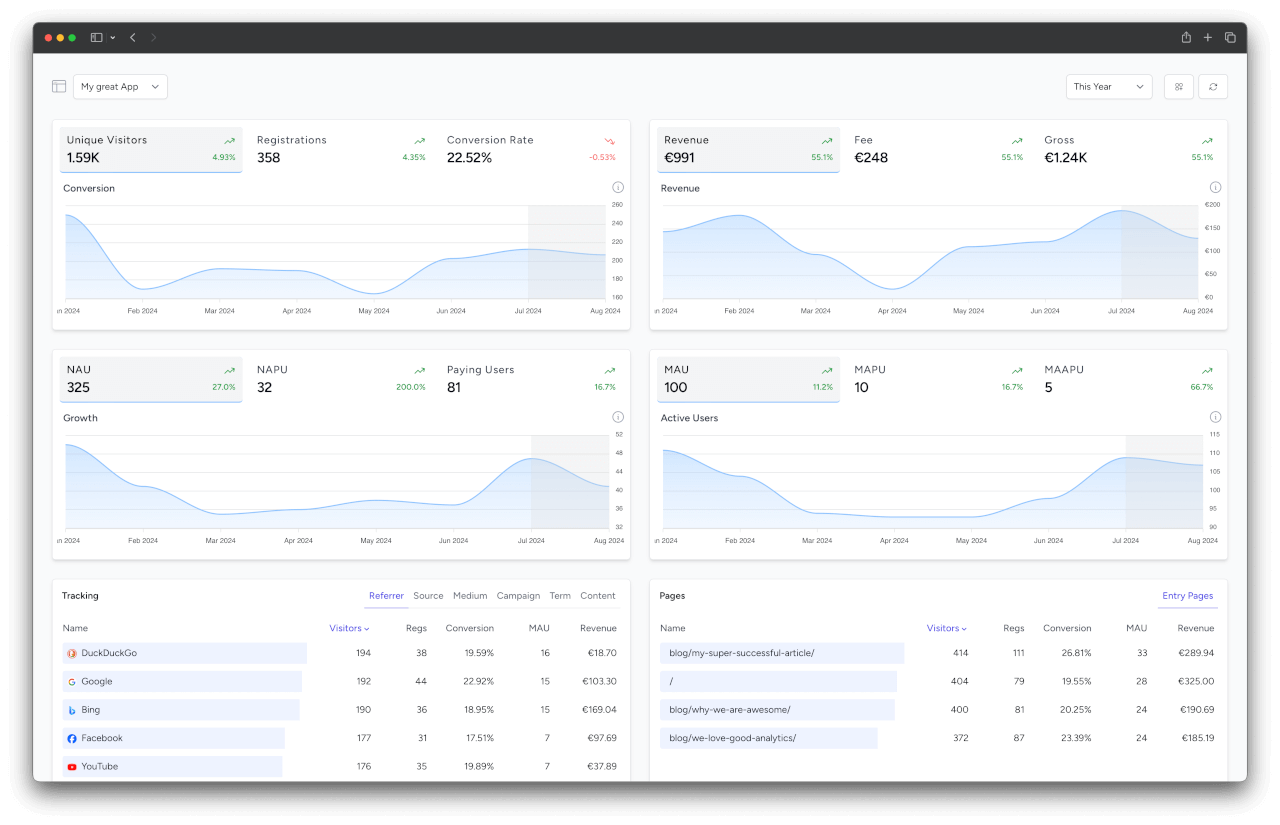
We collect this data in a GDPR-compliant way, aggregate it and make it filterable and visible for you on our nice-looking dashboard at https://simplestats.io. This allows you to see how your campaigns, users and revenue perform during a selected time period, filtered by UTMs, referrers, and countries. Subscription apps additionally get MRR, churn and retention, and once you enter your ad spend per campaign, profit metrics like ROAS and CAC, all attributed back to the channel.
Teams and Projects
You can invite co-workers to your team and assign roles, such as Administrator, Editor, Viewer to them. Each team can have multiple projects. You can view and analyze each project separately – or get an aggregated overview at the team level that combines the stats of all your projects.
Editors and viewers can also be limited to selected projects, for example to give a client access to the stats of their own project only. A limited member only sees those projects (one at a time, without the aggregated overview), only gets reports and alerts for them, and doesn't see the other team members. Administrators always see all projects.
Server-Side vs Client-Side Tracking
Ad blockers and other privacy tools have a significant impact on the effectiveness of client-side analytics. Estimates suggest that up to 30-50% of tracking data can be blocked when using client-side analytics due to these tools. This can lead to incomplete datasets, skewed metrics, and ultimately, inaccurate insights.
On the other hand, server-side analytics like SimpleStats are largely unaffected by ad blockers since the data collection occurs on the server rather than the user's device. This method ensures more accurate and comprehensive data collection, as it bypasses the limitations imposed by client-side tracking methods.
Furthermore, server-side tracking offers enhanced data security and privacy since it does not rely on third-party cookies and is less vulnerable to browser restrictions and privacy settings. This makes it a more reliable choice for collecting accurate data and maintaining compliance with data protection regulations like GDPR.
In summary, while client-side analytics are easier to implement, server-side analytics provide more accurate and comprehensive data, unaffected by ad blockers and privacy tools, making them a better choice for businesses needing reliable metrics.
Wondering how SimpleStats counts visitors, and why its numbers can differ from other analytics tools? See Counting Visitors for where each tool gains or loses visitors, and what a healthy difference looks like.
KPIs
SimpleStats computes a wide range of KPIs from your tracking data, covering acquisition, revenue, retention, and recurring revenue. Which ones apply depends on what your project tracks: visitors only, registrations, payments, or full subscription analytics.
See the full KPIs reference for every metric, what it means, and how it is calculated.
Help
Do you have a question? Feel free to reach out to us if you need some help or check out our troubleshooting page.